
ARMO OpenAPI
If you’ve successfully connected to a cluster using the in-product scripts and instructions, the easiest way to access the interactive OpenAPI UI is by using the services deployed as a part of our Helm chart.
Access the API through ARMO Platform
You can access the ARMO API using the endpoint that corresponds to your account’s data center:
EU Data Center
Your tenant is running on: https://cloud.armosec.io
API EU Data center: https://api.armosec.io/openapi/v2/swaggerui
US Data Center
Your tenant is running on: https://cloud.us.armosec.io
US Data center: https://api.us.armosec.io/openapi/v2/swaggerui
Access the API through your own services
Ensure that you have access to the services, either by exposing them on an external IP as a NodePort or a LoadBalancer service.
Then, you can access the UIs at the following paths:
<SERVICE_IP>:<SERVICE_PORT>/openapi/v2/swaggeruifor the Swagger UI<SERVICE_IP>:<SERVICE_PORT>/openapi/v2/rapifor the RapiDoc UI<SERVICE_IP>:<SERVICE_PORT>/openapi/v2/docsfor the ReDocs UI
For example, if you want to take a look at the APIs that Kubescape using Swagger UI, and assuming that the service is exposed at 192.168.2.1, port 8081, open your browser and go to 192.168.2.1:8081/openapi/v2/swaggerui.
Authentication for ARMO Platform
The preferred way to authenticate your API calls in ARMO Platform is with API keys and the X-API-KEY header.
API keys can be generated by ARMO Platform users in the settings and "Agent Access Keys" menu item.
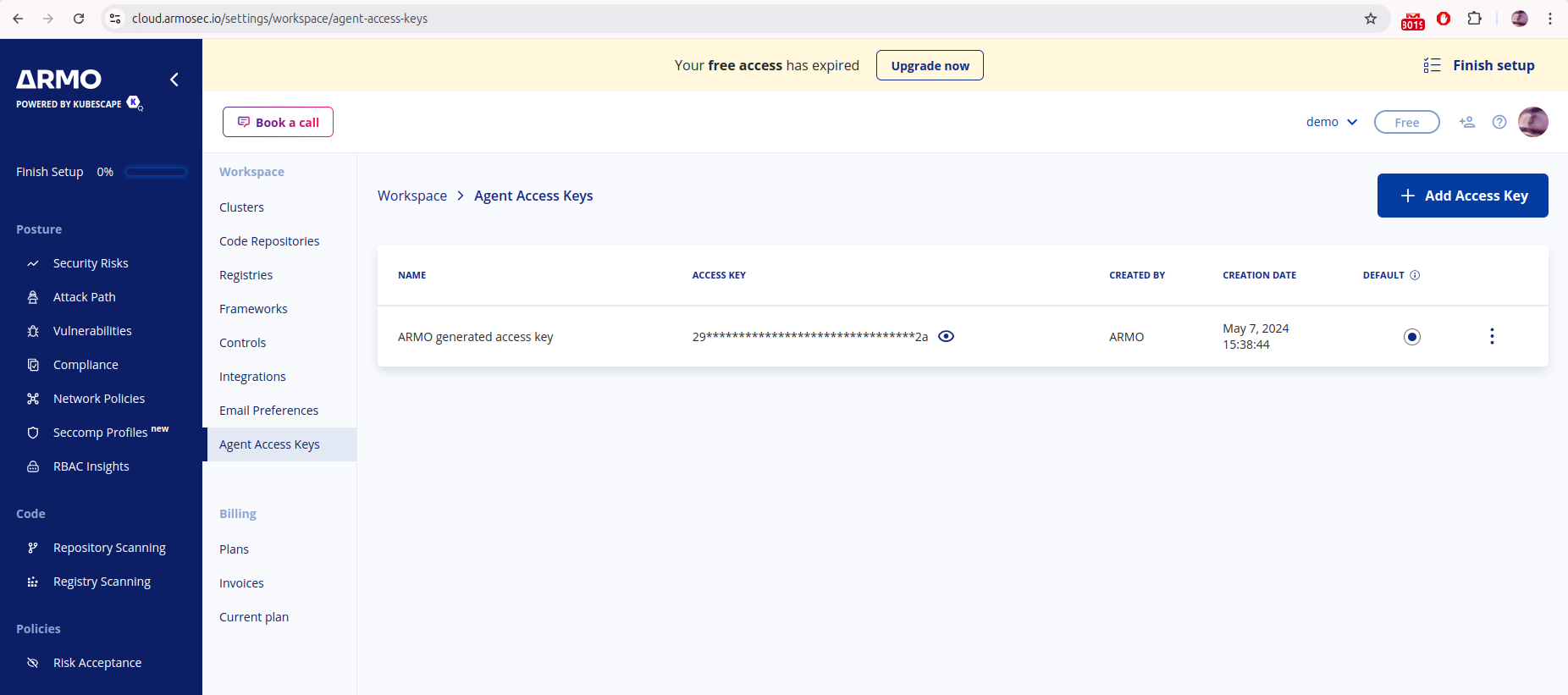
Then add the X-API-KEY header to your API calls with the Access Key you want to use.
ThecustomerGUIDquery parameter is requiredAPI keys are scoped to your ARMO account, so every call authenticated with
X-API-KEYmust also include your account's GUID as thecustomerGUIDquery parameter. Without it, the API key is not validated against your account and the request is not authenticated. You can find your customer GUID in the ARMO Platform under account settings.
For example:
curl -X GET 'https://api.armosec.io/api/v1/<ENDPOINT>?customerGUID=<YOUR_CUSTOMER_GUID>' \
  -H 'X-API-KEY: <YOUR_ACCESS_KEY>'
If your tenant is in the US data center, use https://api.us.armosec.io instead.
Updated 16 days ago